
How Timetastic works for you and your team
Timetastic is more than just a streamlined way to book time off work—it’s a better way of getting to grips with staff absence.
Companies that switch to Timetastic become more transparent, they plan better, work better, and value their team—you’ll see a happier and more productive workforce.
It’s a big step forward, but simple to take.
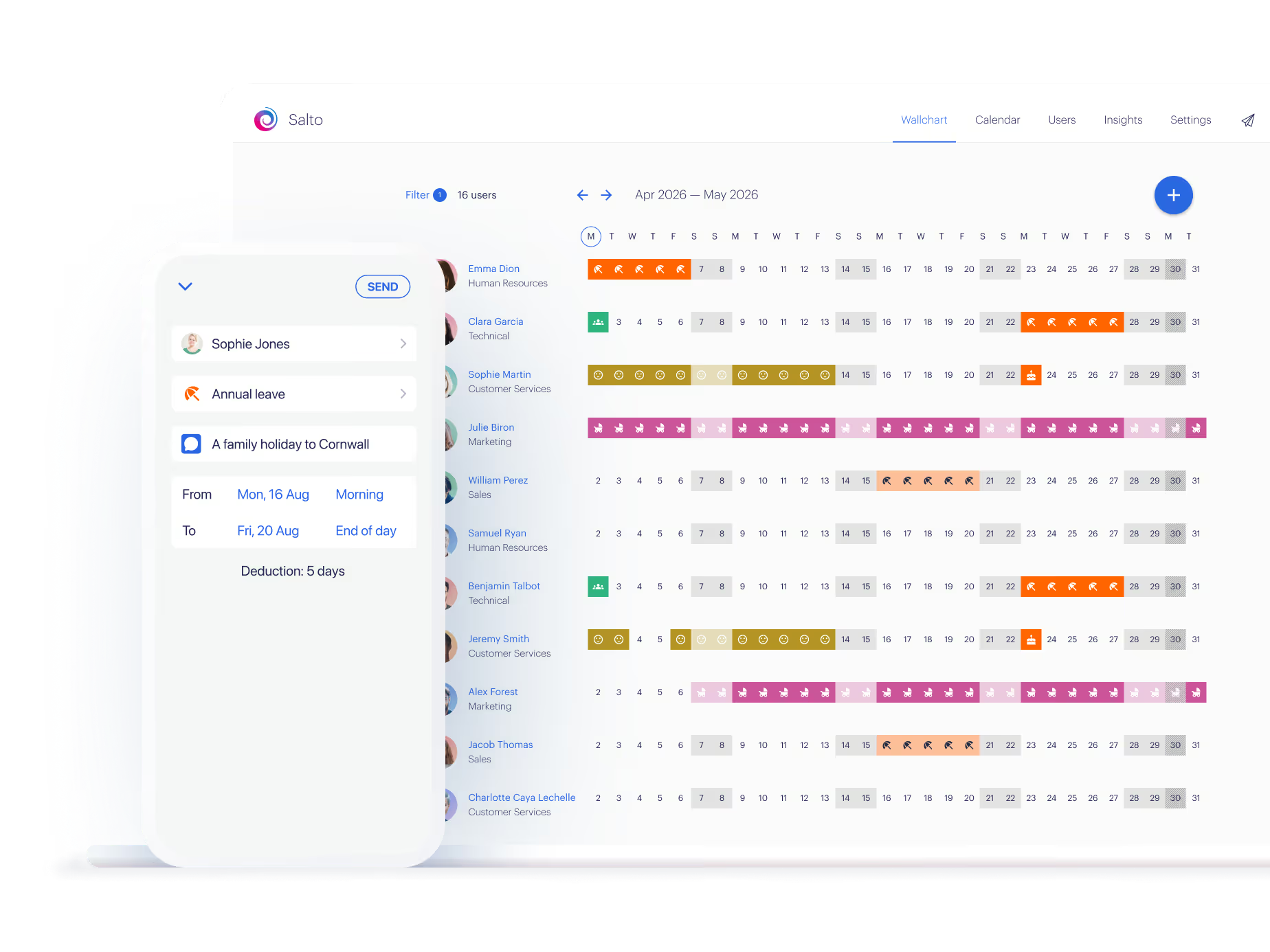

See Timetastic in action


Instead of messy paperwork, you get:
Individual calendars
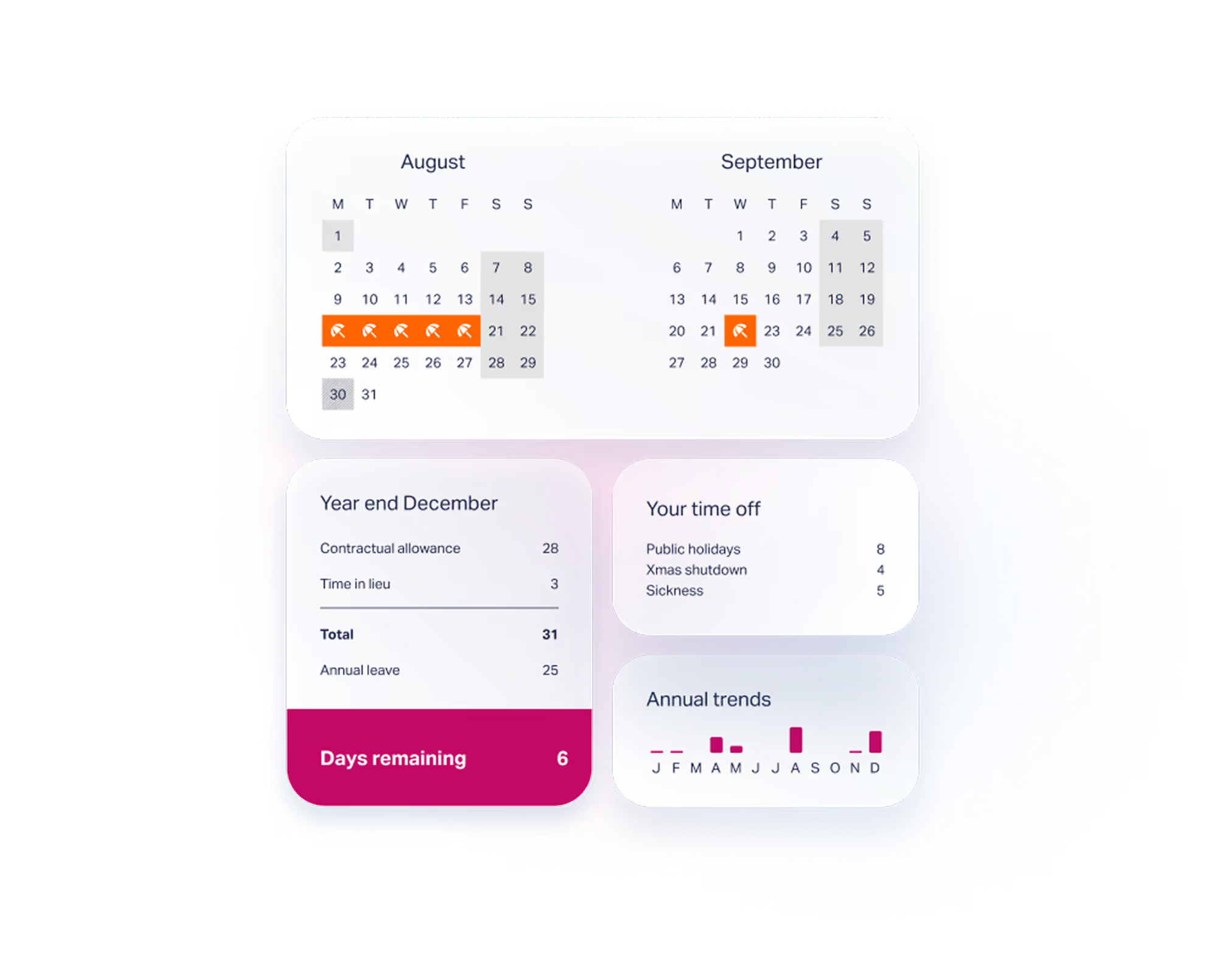
Every member of staff gets a personal calendar and summary. You can see and track time off, make plans for this year or next.
It’s easy to see holidays you've taken, what’s upcoming, and how much allowance you have left for the year.
Using the calendar integrations you can sync Timetastic directly into a calendar of your choice: Outlook, Gmail, and Apple are all supported.
App and email notifications
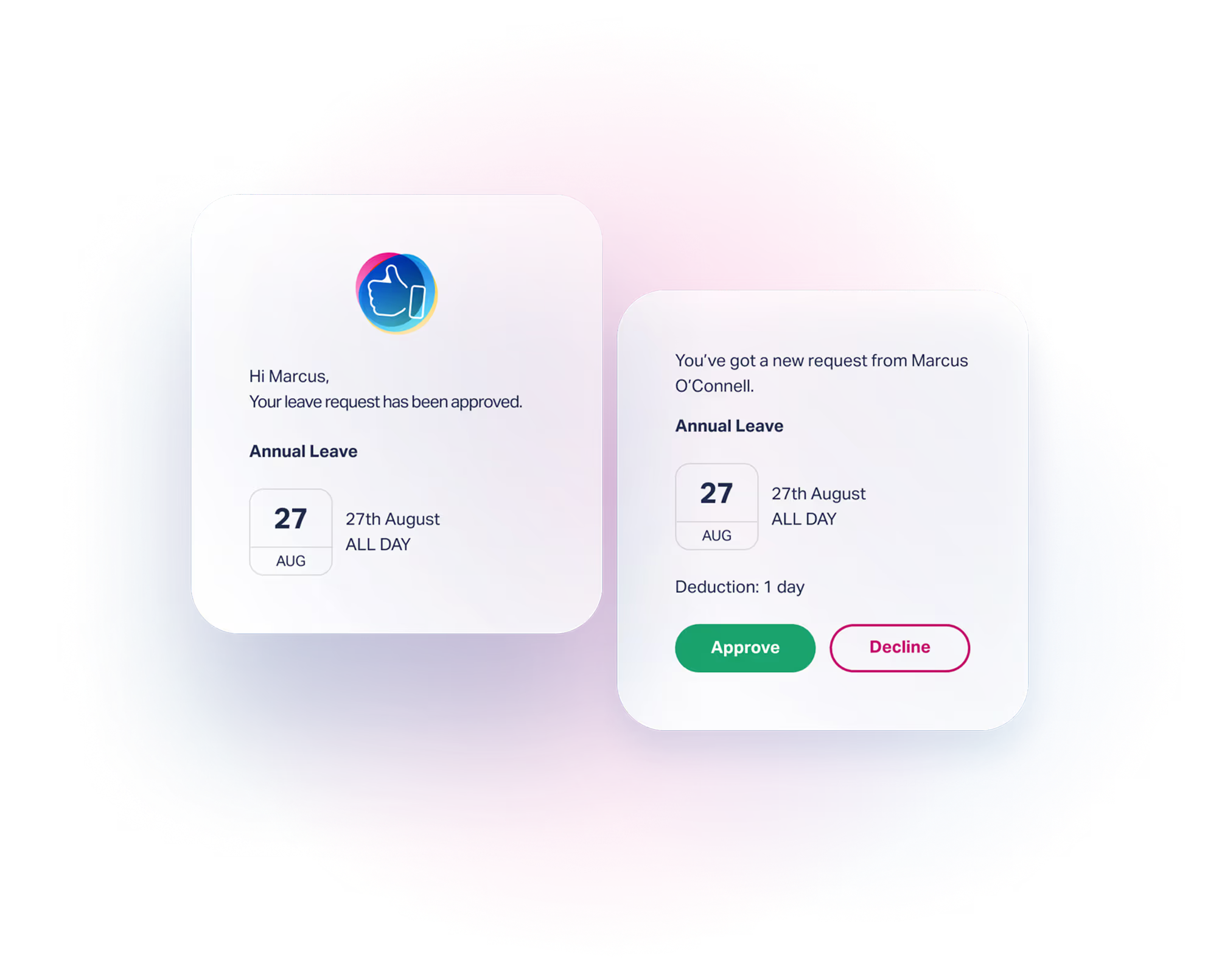
Rather than shuffling bits of paper around the office and digging through desk drawers for a holiday request form, you open Timetastic, click the dates you want off and the request is sent directly to your manager. All they have to do is click approve or decline in the email.
Staff leave planner wallchart
A live wallchart, with bells and whistles
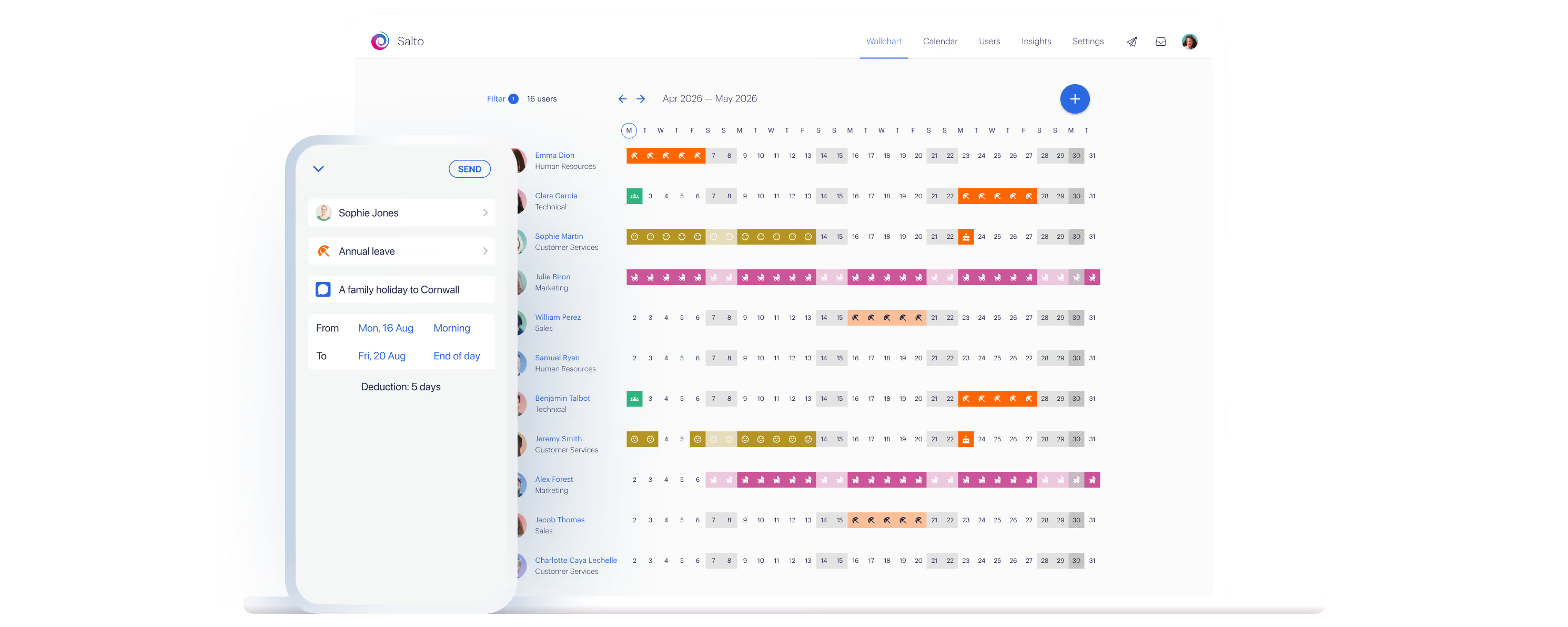
The first thing you’ll see in Timetastic is your new interactive wallchart. At a glance you can see who’s in and who’s not. Click to request time off, use it to plan ahead, make sure busy periods are covered, and avoid any clashes.
.avif)

Your team
The interactive wallchart helps you view team members and their availability at a glance, with the option to filter staff by their department.

Only the essentials
Get every detail you need, and nothing you don't. Simply scan in seconds to get the full picture with leave type icons, approval status, and more.

Book time off
Need to add a time off request? You can do it right from the wallchart. It is truly a simple workflow.

Pending request
View requests that are yet to be approved and assess overlaps with other team members' availability in one view. This greatly simplifies approvals for managers.

A full set of features, so you can manage time off properly
Track, record, and report every kind of staff absence: holidays, sickness, maternity, and the ones with no tidy name. Below, the features that replace the spreadsheet columns you built to cope.
Departments
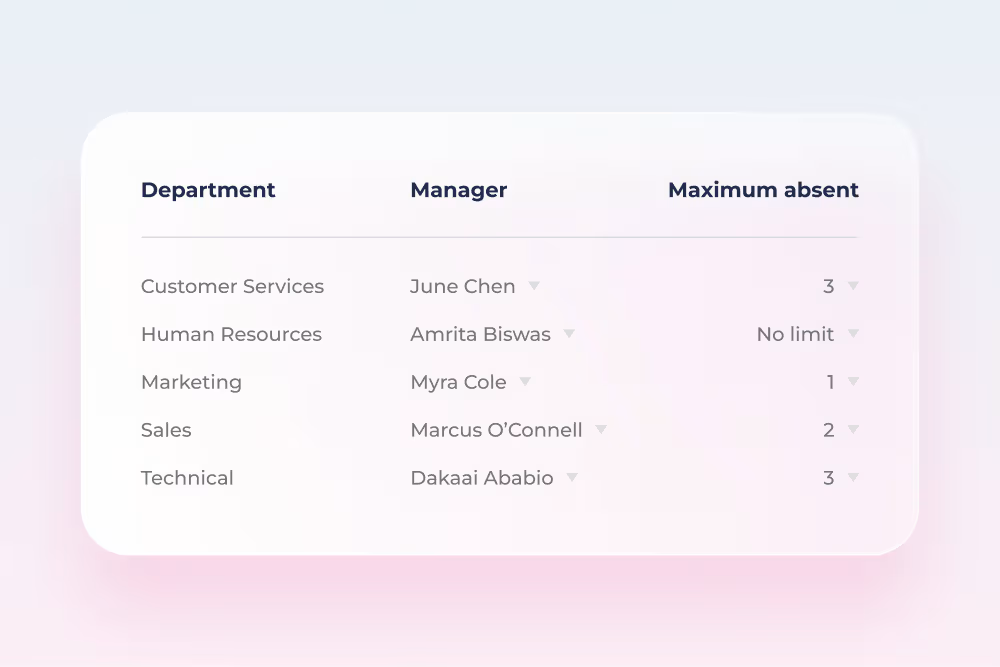
Group your staff into departments, allocate one boss to manage the whole team, set minimum staffing levels, and see clashes before approving requests for time off.
Leave types
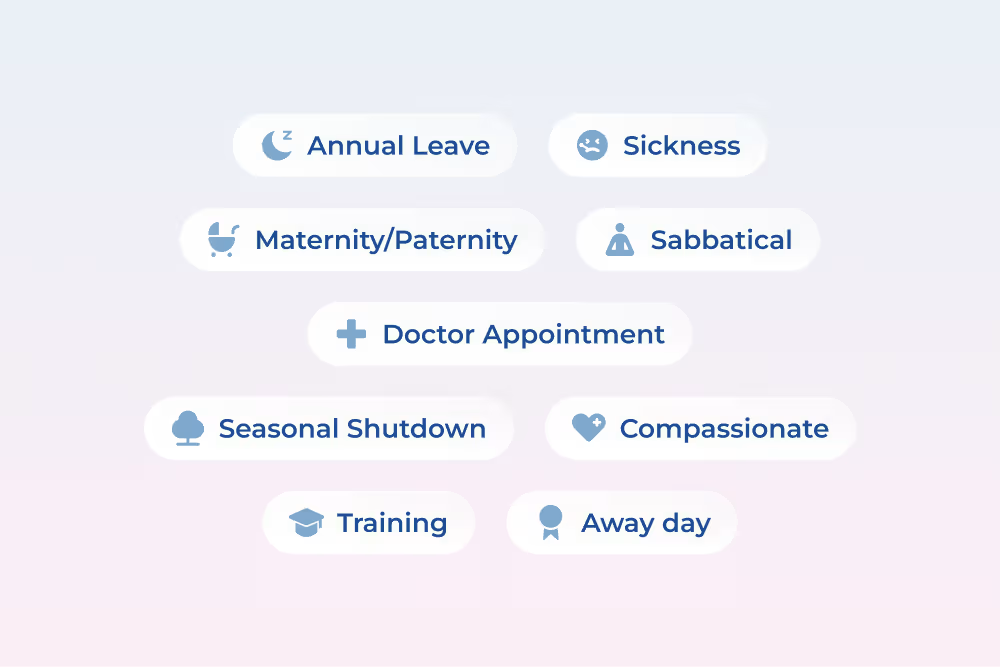
Handle any type of absence—annual leave, sickness, maternity and paternity, unpaid leave, compassionate, and meetings.

Public holidays
Public holidays from over 3,000 regions are supported in Timetastic. From UK to the USA, Afghanistan to Zimbabwe, we've got you covered.
Work schedules
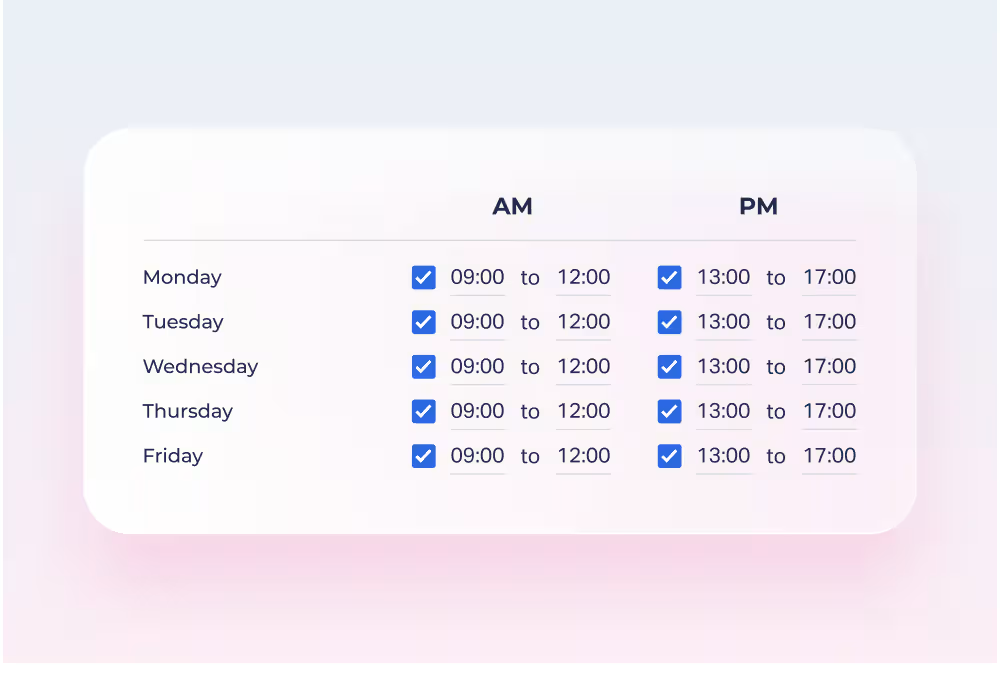
Each employee has a work schedule split into two sessions to account for a lunch break. Their working week is reflected on the team calendars so you can see who should be working and when.
Timetastic works with your other apps
Timetastic's Basic and Pro plans integrate with: Google Workspace, Google Calendar, Outlook Calendar, Apple Calendar, and Slack. The Rota & Time Clock platform only needs the iCal integration.




275,000+ people book their time off here
Set it up for your team before the next request lands.