


- Timetastic brings time tracking, rota management, and leave together in one platform, so your timesheets, schedules, and absence records stay in sync automatically.
- Accurate time tracking is about more than payroll. It's a core part of Working Time Regulations compliance, helping you maintain the records you need to demonstrate you're meeting your obligations.
- For shift and field-based teams, clock-in method matters. GPS tracking, geofencing, and photo punch prevent buddy punching and ensure you're paying for hours actually worked.
- Timetastic runs rotas, clocking in, timesheets and leave in one place, so the hours on a timesheet and the days in a holiday balance come from the same record.
- Since 1 January 2024, UK employers don't have to log daily hours for working time compliance if they can show compliance another way. Minimum wage records still have to cover every pay reference period, for six years.
- From 6 April 2026, employers must also keep holiday records for six years. Failing to keep them is a criminal offence, enforced by the Fair Work Agency.
- For shift and field teams, the clock-in method matters: geofenced mobile punches, kiosks with photo checks, and a non-biometric option for staff who don't want to use facial recognition.
Modern time tracking tools solve these problems cleanly and are affordable for businesses of any size. The challenge is picking the right one, especially if you need features specific to UK employment law or shift-based operations.
This guide covers the 6 best employee time tracking software options for UK businesses in 2026, with a focus on tools built for shift workers, deskless teams, and frontline operations rather than freelancers or office-based professionals.
Why do UK businesses need time tracking software in 2026?
Time tracking isn't optional if you have hourly or shift-based staff. Here's why it matters specifically for UK businesses. Search interest in employee time tracking has grown steadily among UK businesses over the past five years, according to Google Trends data.
Working Time Regulations compliance requires records. Under Working Time Regulations 1998, employers must keep adequate records to show workers are not exceeding the 48-hour weekly average and that rest period entitlements are being met. A spreadsheet is not a reliable audit trail.
Payroll accuracy depends on it. Missed punches, manually estimated hours, and rounded timesheets all introduce errors that add up across your payroll. Automated clock-in/out and timesheet generation removes the guesswork.
Remote and field teams need digital verification. If your staff work across multiple sites or in locations without a fixed workplace, GPS clock-in, geofencing, and photo punch give you the verification you need without being intrusive.
HMRC record-keeping requirements apply. Employers must maintain payroll records for at least three years. Digital timesheet records are far easier to produce on demand than paper or spreadsheet-based records.
How did we evaluate these time tracking tools?
We focused on tools suited to hourly, shift-based, and field-based teams in UK SMBs. Every tool featured had to meet these baseline criteria:
- Available and actively supported in the UK
- iOS and Android mobile apps for employee clock-in/out
- Core time tracking features including clock-in/out, break tracking, and timesheet generation
- Suitable for small and medium-sized businesses
We assessed each tool on time tracking accuracy, clock-in method options, payroll integration quality, UK compliance support, ease of use, and overall fit for shift-based operations. We deliberately excluded tools aimed primarily at freelancers or project-based billing (such as Toggl Track and Harvest), as these serve a different use case.
Disclaimer: This article was put together by the team at Timetastic. We've included our own product in this list, and we've done our best to give a fair comparison of the employee time tracking tools available to UK businesses. All information is based on publicly available data at the time of writing. Features and availability change, so verify details directly with each provider before deciding.
Which time tracking tools are best for UK shift-based teams?
- Timetastic: Time tracking, rota management, and leave in one place for UK shift-based teams
- Deputy: Strong time clock with scheduling and compliance for growing teams
- Connecteam: Mobile-first time tracking for deskless and frontline workers
- RotaCloud: UK-native time and attendance with rota management
- Jibble: Free GPS time tracking with a clean mobile interface
- QuickBooks Time: Time tracking with payroll integration for QuickBooks users
1. Timetastic
Best timesheet and employee time tracking software for UK shift-based SMBs
Timetastic is used by 200,000+ UK users and handles everything from rota building and leave management to clocking in and generating timesheets. One platform means your rota, timesheets, and leave records stay in sync without any manual cross-referencing.
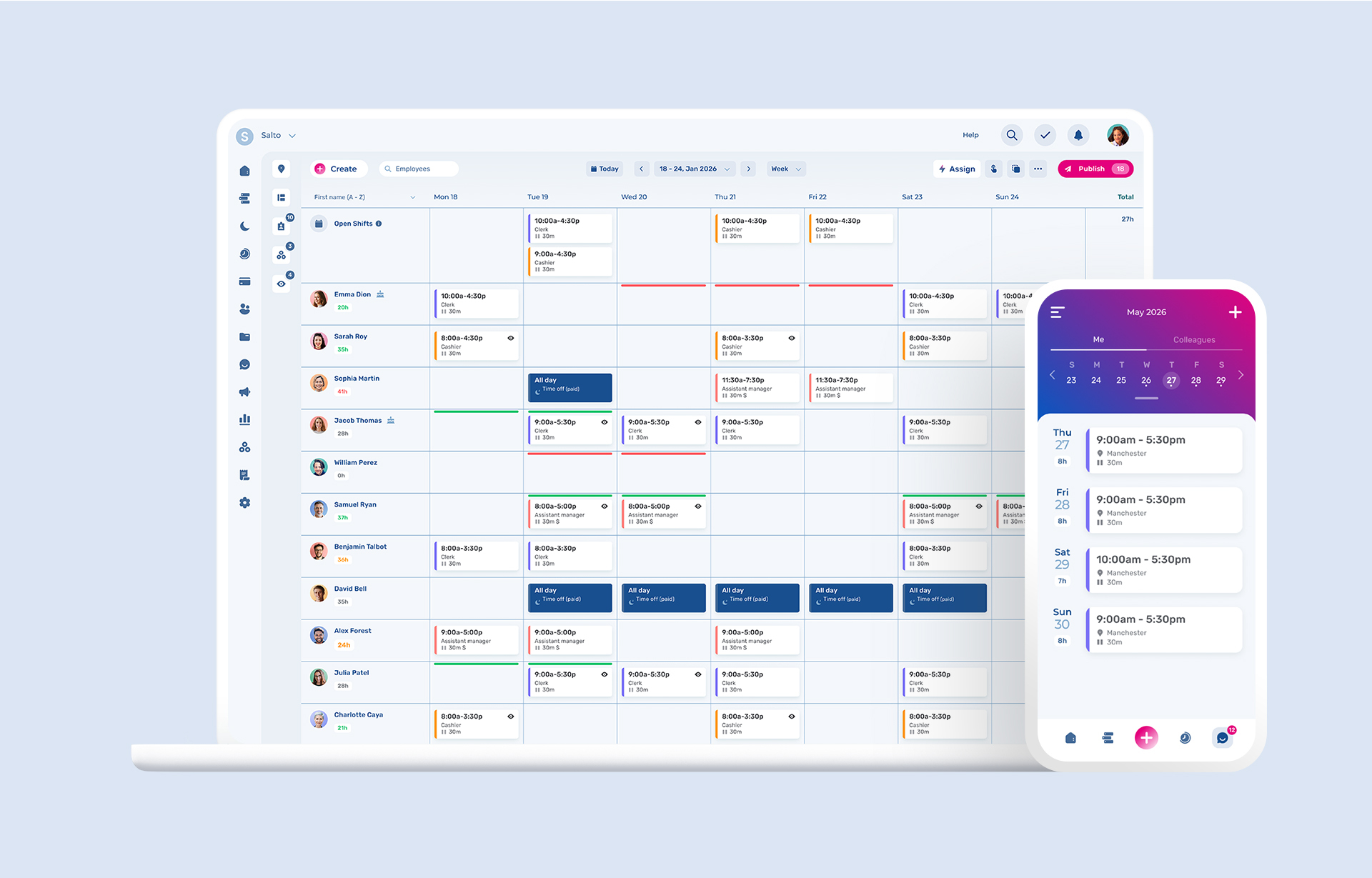
Staff clock in and out from their phones using GPS verification. Managers see in real time who's on site, who's clocked in late, and who's absent. Timesheets are generated automatically from clock data, and payroll exports are compatible with Xero, Sage, and BrightPay.
Pros
- Combines time tracking with rota management and leave management in one platform
- Clear mobile app for staff clock-in/out
- GPS tracking and geofencing for accurate location verification
- Photo punch to prevent buddy punching
- Automated timesheet generation from clock data
- Real-time visibility of who's clocked in and who's absent
- Support of UK bank holiday
- GDPR-compliant data handling
- Trusted by over 200,000 users in UK
Cons
- Newer to time clock features compared to some specialist tools
- Advanced analytics and labour cost reporting on higher-tier plans
Best for
UK SMBs with shift or field-based staff who want time tracking, scheduling, and leave management in a single platform without the admin overhead of juggling separate tools.
Key features
- Mobile clock-in/out (iOS and Android)
- GPS tracking with geofencing
- Photo punch to prevent buddy punching
- Kiosk mode for shared-device clock-in
- Break tracking
- Automated timesheet generation
- Overtime tracking
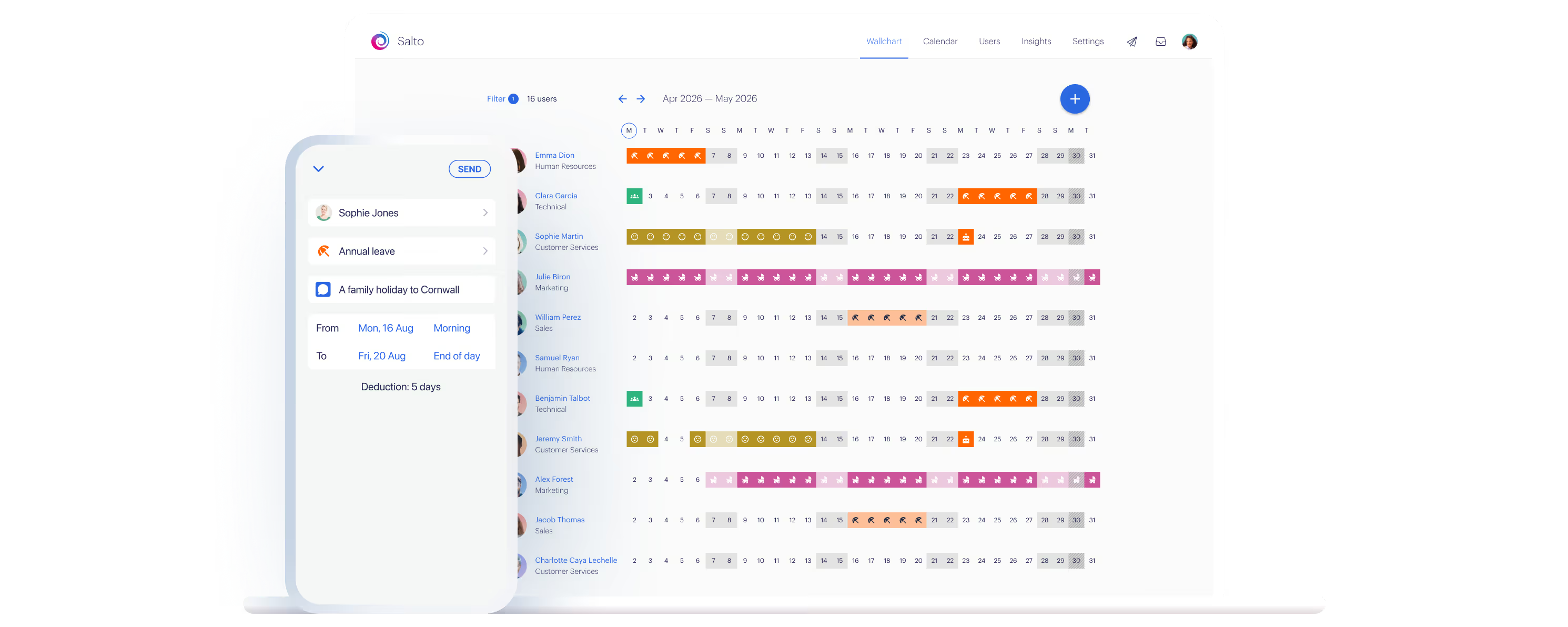
- Real-time attendance visibility (Wallchart)
- Payroll CSV export (Xero, Sage, BrightPay compatible)
- Rota building integrated with time tracking
- Leave and absence management built in
- Slack, MS Teams, Google Calendar, and Outlook integrations
- UK bank holiday support
TL;DR
Timetastic handles time tracking, scheduling, and leave in one place, so your timesheets, rotas, and absence records are always in sync.
2. Deputy
For growing businesses that need time tracking and scheduling together
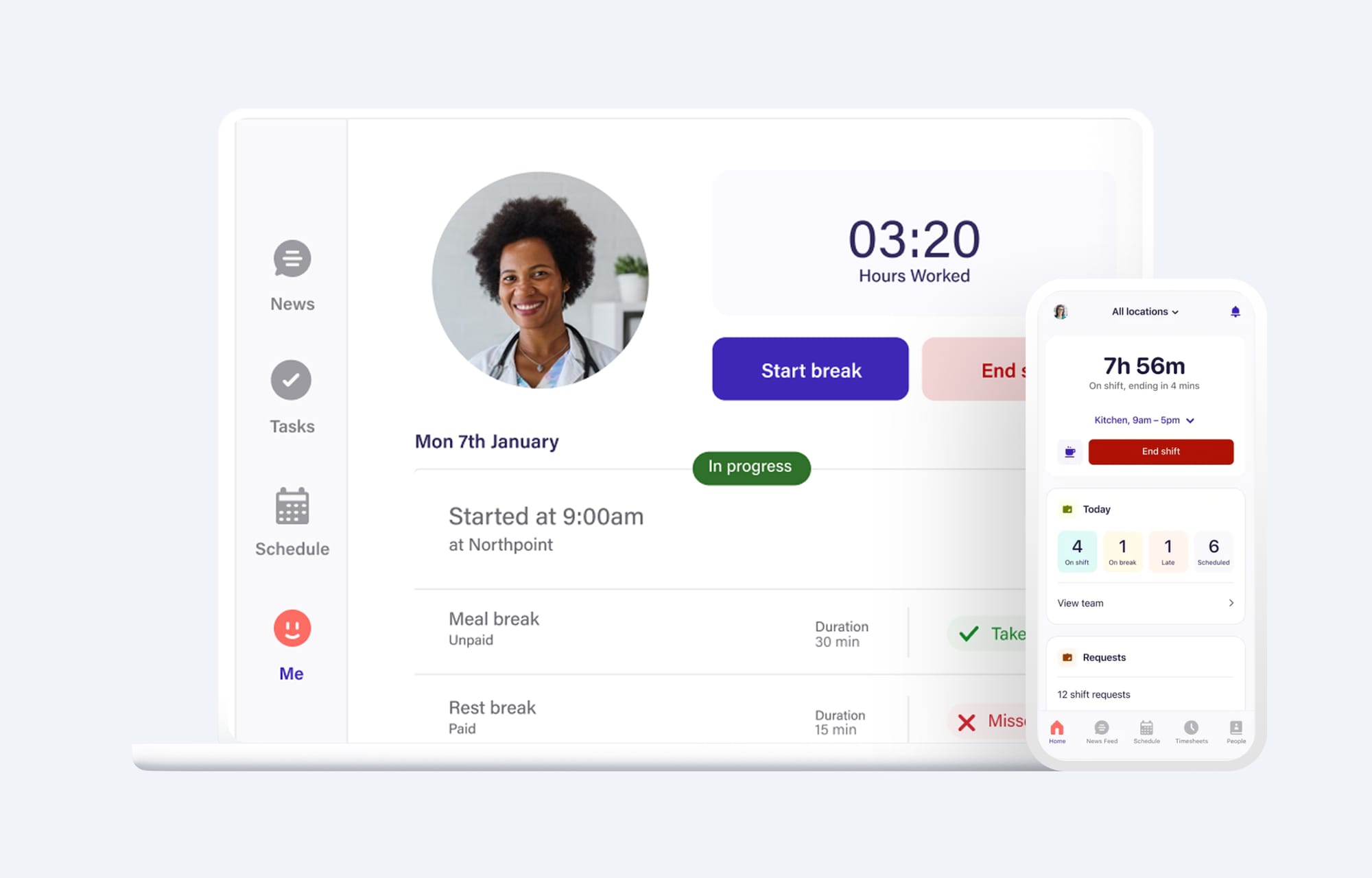
Deputy is a global scheduling and time tracking tool with a strong UK presence and GBP billing. Its time clock is tightly integrated with its scheduling tools, which means actual hours worked are automatically compared against scheduled hours, making it easy to spot discrepancies before payroll runs.
The platform's Working Time Regulations compliance tools are among the strongest on this list, including rest period alerts, overtime warnings, and labour cost reporting per shift.
Pros
- Tight integration between time clock and scheduling
- Strong Working Time Regulations compliance tools
- GPS and photo clock-in for accurate verification
- Labour cost reporting per shift
- Wide range of payroll and POS integrations
- Billing in GBP
Cons
- More expensive than simpler tools, especially for larger teams
- Can feel over-engineered for small teams with straightforward time tracking needs
- Some compliance features on higher-tier plans only
Best for
Growing businesses in hospitality, retail, and healthcare that need time tracking, scheduling, and compliance tools working together.
Key features
- Time clock with GPS and photo capture
- Break planning and automatic overtime calculation
- Real-time attendance dashboard
- Comparison of scheduled vs. actual hours
- Working Time Regulations compliance alerts
- Labour cost reporting
- Payroll integrations (Xero, Sage) and POS integrations
3. Connecteam
For deskless and field-based teams
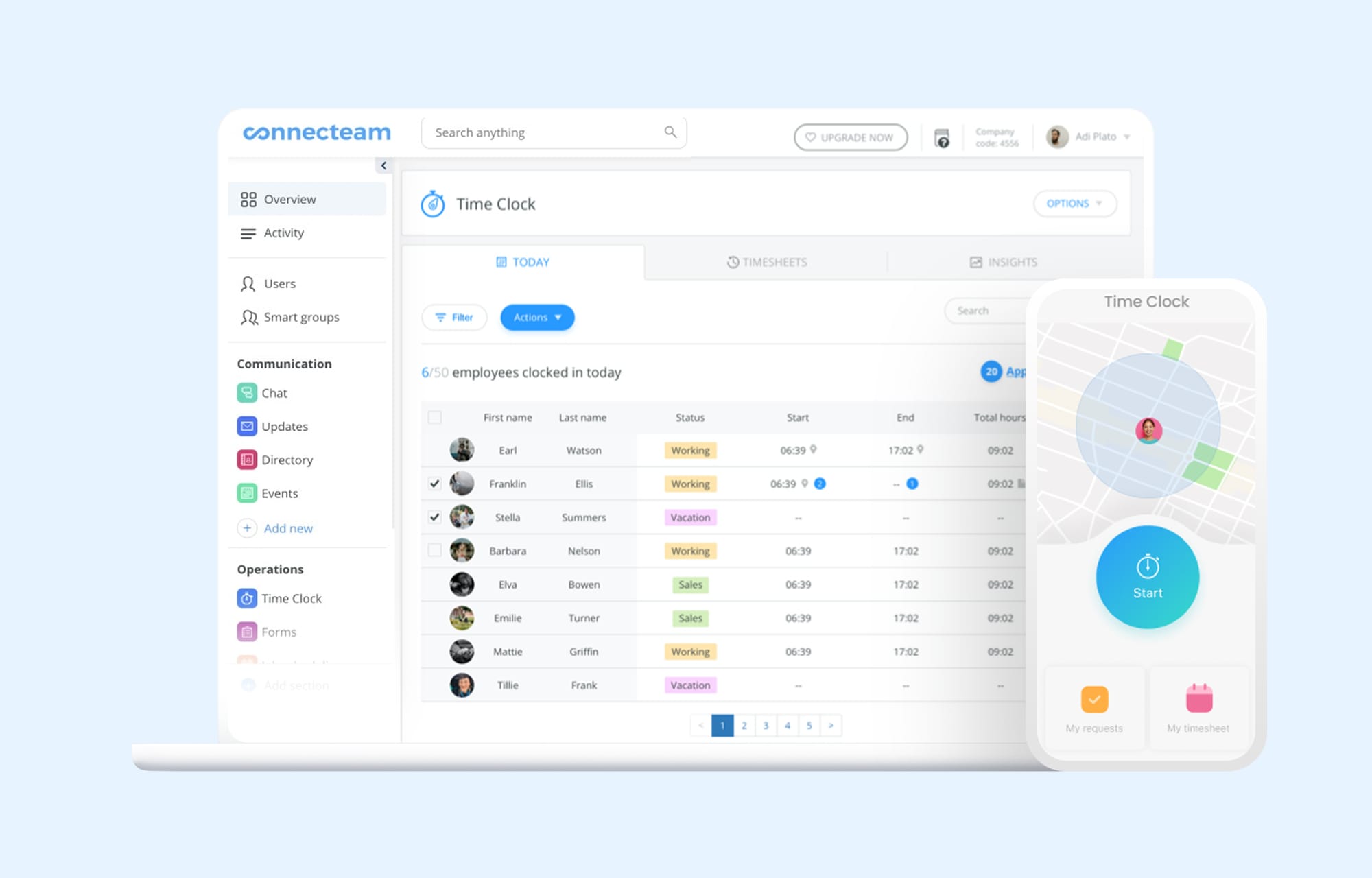
Connecteam is a single platform built specifically for deskless workers, making it a strong fit for field service, cleaning, security, construction, and care businesses. The time clock is GPS-enabled with geofencing, kiosk mode for shared devices, and photo clock-in to prevent buddy punching.
Its free plan (up to 10 users) includes genuine time tracking functionality, not just a limited preview, which makes it accessible for very small teams.
Pros
- Designed specifically for mobile-first and deskless teams
- GPS clock-in with geofencing
- Free plan for up to 10 users with real functionality
- Kiosk mode for shared-device clock-in on site
- Combines time tracking, scheduling, communication, and HR tools
- Strong task management and checklists for field teams
Cons
- Above 10 users, keeping the full feature set (including live GPS tracking and breadcrumbs) requires the Expert plan, a steep jump from the Basic tier
- Can feel feature-heavy for teams that only need basic time tracking
- Not a UK-native product; some UK-specific compliance settings require manual configuration
Best for
Field service, cleaning, security, construction, and care businesses with mobile-first or geographically dispersed teams.
Key features
- GPS clock-in/out with geofencing
- Kiosk mode for shared devices
- Photo clock-in to prevent buddy punching
- Break and overtime tracking
- Real-time attendance dashboard
- Timesheet approvals and payroll exports
- In-app messaging and task management
- Free plan for up to 10 users
4. RotaCloud
UK-native time and attendance for SMBs
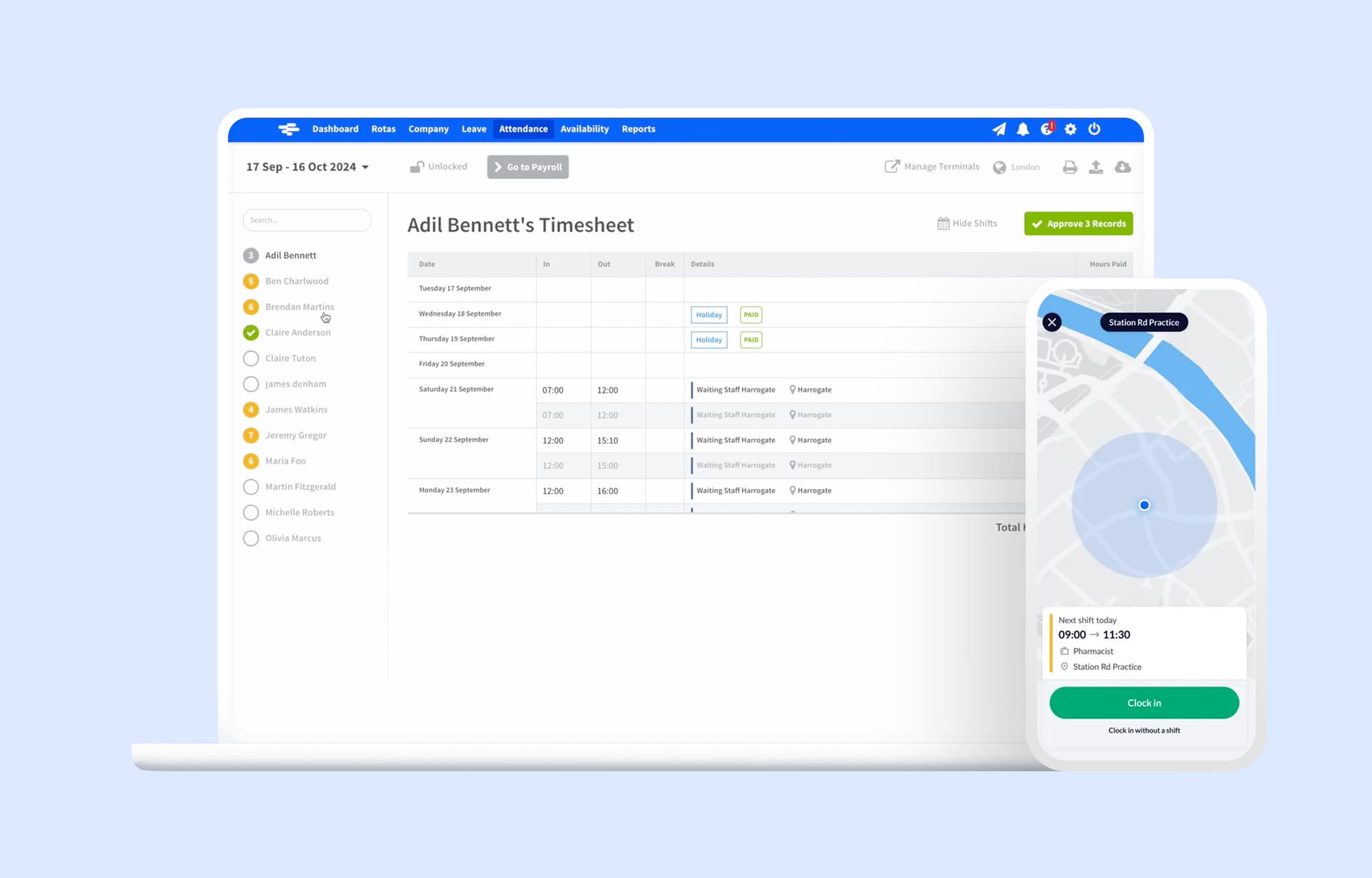
RotaCloud's time and attendance module is an add-on to their rota management platform, but the two work seamlessly together. For businesses already using RotaCloud for scheduling, adding time and attendance means clock data feeds directly into existing rota and leave records without manual reconciliation.
The platform is built and supported in the UK, uses UK terminology throughout, and has a strong track record with SMBs across retail, hospitality, healthcare, and care.
Pros
- UK-built and supported, with UK-specific terminology
- Time and attendance integrates directly with the rota builder
- Holiday accrual calculated automatically
- UK-based support team
Cons
- Time and attendance is an add-on cost, not included in the base plan
- Less feature-rich on the time tracking side compared to dedicated time clock tools
- Per-employee pricing can become expensive for larger teams
Best for
UK SMBs already using RotaCloud for scheduling that want to add time tracking without switching platforms.
Key features
- Mobile clock-in/out
- GPS location tracking
- Timesheet generation and payroll exports
- Automatic holiday accrual
- Rota and time data in one view
- UK bank holiday support
5. Jibble
Free time tracking app for small UK businesses
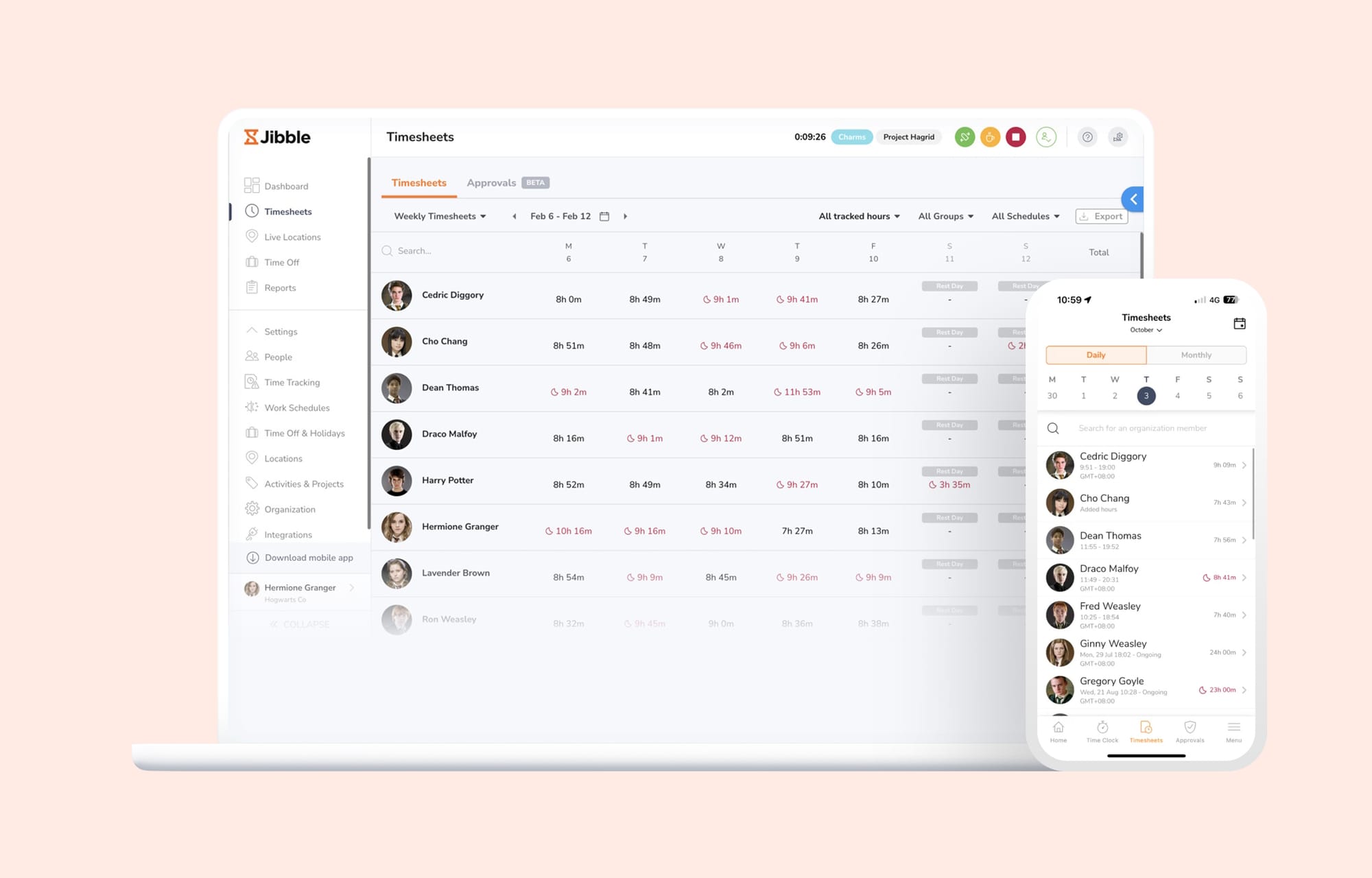
Jibble offers a free plan with unlimited users, GPS clock-in, face recognition, and basic timesheet reporting. For small teams that need accurate time tracking without a monthly bill, it's one of the better free options available.
The paid plans unlock more advanced features, but the free tier is functional enough for teams with straightforward needs.
Pros
- Free plan with unlimited users, GPS, and face recognition
- Clean mobile interface
- Geofencing (limited to 2 locations on free plan, unlimited on paid)
- Kiosk mode for shared devices
Cons
- Some monitoring features available on paid plans may not suit all workplaces
- Payroll integrations more limited than some competitors
- Less suited to businesses that also need rota building (scheduling is basic)
- Support quality can be inconsistent
Best for
Small UK businesses with straightforward time tracking needs that want a capable free or low-cost option.
Key features
- GPS clock-in/out
- Geofencing
- Face recognition clock-in
- Kiosk mode
- Break tracking
- Timesheet reporting
- Free plan available
6. QuickBooks Time
For businesses already using QuickBooks for payroll
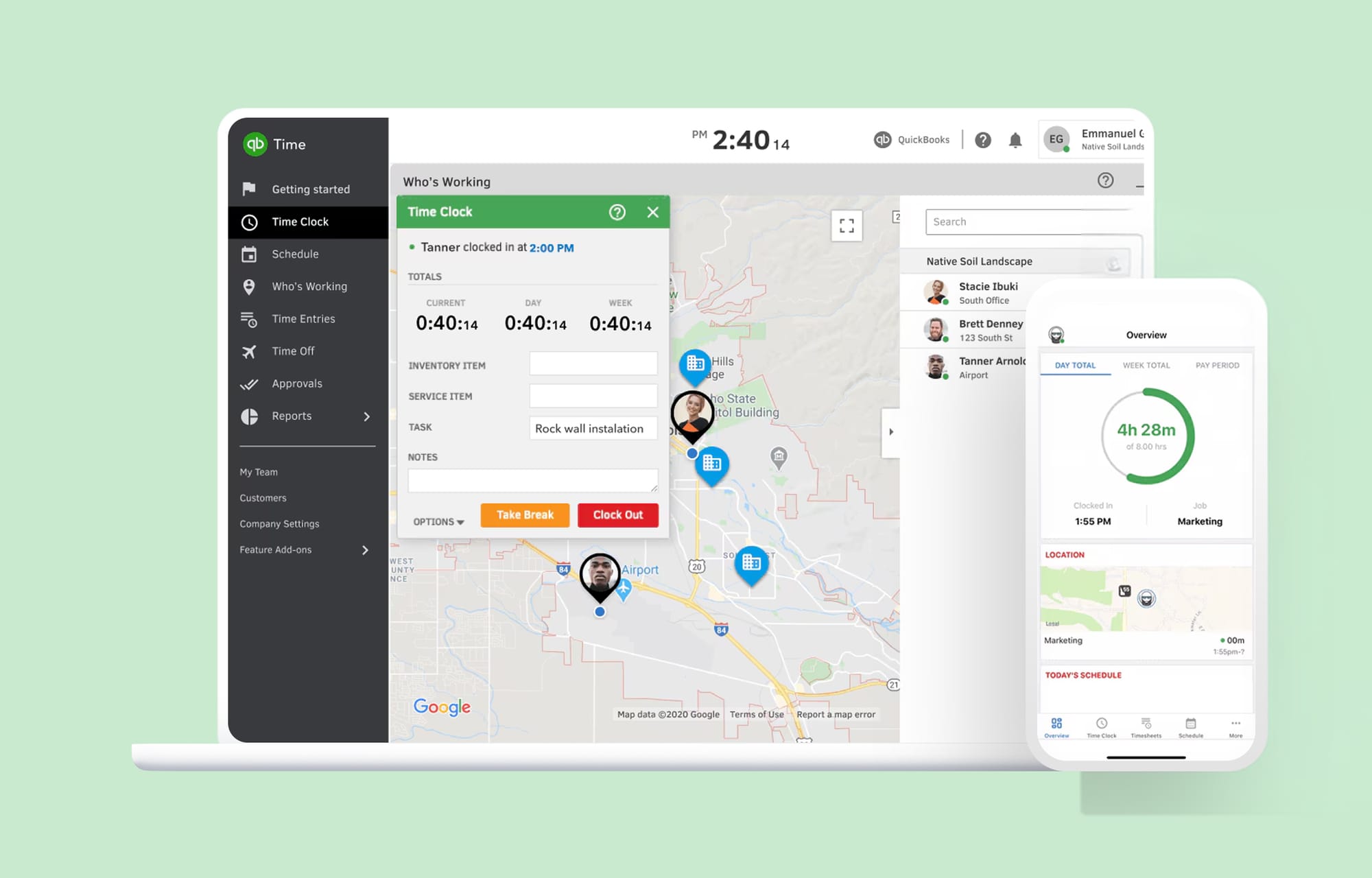
QuickBooks Time (formerly TSheets) is a time tracking tool that integrates directly with the QuickBooks accounting and payroll ecosystem. If your business already runs on QuickBooks, the tight integration means clock data feeds directly into payroll without manual exports or reconciliation.
It has a solid GPS time clock, geofencing, and job costing tools useful for project-based and field service businesses.
Pros
- Direct integration with QuickBooks payroll and accounting
- GPS tracking (from Premium) and geofencing (Elite tier)
- Job costing tools for project-based billing
- Good mobile app
- Works for both office and field-based teams
Cons
- No native shift swapping (managers adjust shifts manually)
- Mobile app and offline sync have reported limitations
- Best value if you're already a QuickBooks user; less compelling if you use Xero or Sage
- Pricing adds up: a monthly base fee plus per-user cost, with geofencing reserved for the top Elite tier
- Less suited to businesses that also need rota building
Best for
UK businesses using QuickBooks for payroll and accounting that want time tracking to feed directly into their existing workflow.
Key features
- Job and project tracking
- Break and overtime management
- Real-time attendance dashboard
- Timesheet approvals
- GPS clock-in/out with geofencing (higher tiers only)
- Direct QuickBooks payroll integration
- Mobile app (iOS and Android)
What do the Working Time Regulations mean for time tracking in the UK?
Under Working Time Regulations 1998, UK employers have specific record-keeping obligations for workers not covered by an opt-out agreement.
Hours records: You must keep records demonstrating that workers are not exceeding the 48-hour weekly average (measured over a 17-week reference period). Your time tracking tool needs to aggregate weekly hours and flag when workers are approaching or breaching the limit.
Rest period compliance: Workers are entitled to 11 consecutive hours of rest between working days and at least one day off per week (or two in a fortnight). Accurate clock-in/out records are essential to demonstrate compliance.
Break entitlements: Workers who work more than 6 consecutive hours are entitled to a 20-minute uninterrupted break. Your tool should record when breaks were taken and for how long.
Young workers: Workers aged 16-17 have stricter entitlements, including a 30-minute break for shifts over 4.5 hours and a maximum 8-hour working day. These need to be tracked separately.
Record retention: HMRC requires payroll records to be kept for at least three years after the end of the tax year they relate to. Digital timesheet records are significantly easier to produce on demand than paper-based systems.
GDPR compliance: Any software processing your staff's personal data, including time tracking records, must comply with UK GDPR. Look for providers with a clear data processing agreement, data stored in the UK or EU, and appropriate security certifications.
Should you use a standalone time clock or an integrated platform?
Most businesses that manage shift workers face the same choice: use a dedicated time clock tool alongside existing scheduling tools, or bring everything into one platform.
The case for a standalone time clock: If you already have scheduling and HR tools you're happy with, a focused tool like Jibble can be layered in without disrupting anything. It's a lower-friction change.
The case for an integrated platform: When your rota, time clock, and leave management are in the same system, the data stays in sync automatically. You can see immediately whether there are enough staff scheduled when someone calls in sick. Your timesheets reflect actual shifts worked, not just scheduled hours. Your holiday balance is accurate because absences are recorded in the same place. For most SMBs, the reduction in manual cross-referencing is worth the switch.
Timetastic is built on exactly this logic: it started as a leave management tool, expanded to cover rotas, and added a time clock so the full picture of who's working, who's off, and who's clocked in is always visible in one place.
FAQ
Is employee time tracking software a legal requirement in the UK? Not explicitly, but Working Time Regulations 1998 require employers to keep adequate records to demonstrate compliance with the 48-hour weekly average and rest period rules. In practice, a reliable digital time tracking system is the most practical way to meet this requirement. The tools on this list all handle the fundamentals well. Where they differ is in how much of your wider workforce management workflow they can replace. If you want a single platform that covers time tracking, scheduling, and leave management together, Timetastic is built for exactly that, and already trusted by over 200,000 UK users.
Start your free 30-day trial of Timetastic. No credit card required.
Is employee time tracking software worth it for UK SMBs? For UK businesses managing hourly or shift-based workers, accurate time tracking is a baseline requirement, not a nice-to-have. It underpins payroll accuracy, Working Time Regulations compliance, and your ability to produce records on demand.
What is the difference between time tracking software and a time clock app? They're often used interchangeably. A time clock app typically focuses on the clock-in/out mechanism (mobile, kiosk, GPS). Time tracking software is broader and usually includes timesheet reporting, payroll exports, and integration with other workforce management tools. Most modern platforms offer both.
Can employees clock in from their phones? Yes. All tools on this list offer mobile clock-in via iOS and Android apps. Most also support GPS verification, geofencing, and kiosk mode for shared devices, so you can ensure clock-ins are happening from the right location.
How does time tracking software integrate with UK payroll? Most tools export timesheets in CSV format compatible with UK payroll systems such as Xero, Sage, and BrightPay. Some offer direct integrations. QuickBooks Time integrates directly with QuickBooks payroll. Check the specific integrations for each tool before committing.
What should I look for to ensure GDPR compliance? Look for providers that store data in the UK or EU, have a clear data processing agreement, offer role-based access controls, and hold relevant security certifications. Timetastic and RotaCloud are both UK-based with GDPR-compliant data handling.



200,000+ people book their time off here
Set it up for your team before the next request lands.