


- The Home Office can fine UK employers up to £45,000 per illegal worker for a first breach and £60,000 for a repeat breach within three years. Onboarding software stores right to work evidence, but the check itself goes through the Home Office service, original documents or a certified identity provider.
- From 1 January 2027, unfair dismissal protection starts after six months, down from two years, and the cap on compensation goes. A six-month probation now ends exactly when protection begins, so onboarding should log start dates and trigger review reminders.
- The principal written statement is due on day one and the wider statement within two months. From January 2027, a government-written statement of the right to join a trade union must go out alongside it.
- Onboarding software collects what payroll needs but doesn't register anyone with HMRC or enrol them in a pension. HMRC registration happens on the first Full Payment Submission; pension assessment can be postponed for up to three months.
That last bit matters more than most buyer's guides let on. Plenty of tools promise "compliant onboarding". Very few spell out which parts of UK law they cover, and which parts still land on your desk.
So this guide works the other way round. It starts with what the law asks of you when someone joins, shows where software helps, and then asks whether you need it at all.
What does employee onboarding software actually do?
It replaces the paper pack, the email chain and the "did they ever send their bank details?" chasing with one form the new starter fills in themselves.
Most tools cover the same core jobs:
- Collecting personal and employment details straight into the employee's HR record, so nobody retypes them.
- Requesting documents, like proof of identity, qualifications or licences.
- Getting handbooks and policies read and e-signed, with a record of who signed what and when.
- Sharing the basics: a welcome message, who to ask, and what happens on day one.
- Setting a deadline, and showing you who's finished and who hasn't.
The better tools then hand the new starter over to everything else: the rota, the time clock, leave and payroll exports. That handover is where most of the faff hides.
What does UK law require when a new employee starts?
UK employers have at least seven legal jobs around a new starter's first day, from a right to work check before they start to minimum wage records kept for six years. Software can store evidence and send reminders for most of them. It performs none of them for you.
Here's the map.
Notice the right-hand column. It's longer than vendors would like.
Two rows deserve a closer look.
The right to work check is the expensive one to get wrong. The Home Office can fine you up to £45,000 per illegal worker for a first breach, and up to £60,000 for repeat breaches. A photo of a passport uploaded to an HR system isn't a check. British and Irish citizens can't get a share code, so for them you either check the physical documents or use an online identity service provider.
The HMRC step is simpler than it used to be. The starter checklist replaced the P46, and you register the new employee by including them on your first Full Payment Submission. Onboarding software's job is to get accurate details to payroll before payday.
What changes for onboarding under the Employment Rights Act 2025?
Three changes reshape the first months of employment: day-one sick pay and family leave rights since April 2026, a trade union statement due from January 2027, and unfair dismissal protection after six months from 1 January 2027.
Day-one rights since 6 April 2026
Statutory Sick Pay is now paid from the first day of sickness absence, not the fourth, and low earners now qualify too. Paternity leave and unpaid parental leave are now day-one rights as well.
But statutory paternity pay still has its own 26-week service test, so leave and pay no longer line up. Your onboarding pack and handbook should say so plainly. Our guide to paternity leave in the UK covers the detail.
A trade union statement from January 2027
Every new worker will need a written statement of their right to join a trade union, given at the same time as their written statement of employment particulars. The duty starts in January 2027, according to the government's latest implementation timeline.
The government writes the statement itself. You can't reword it; you only add workplace details, plus a link to (or a copy of) the Certification Officer's list of trade unions. Existing workers need it too, by 5 April 2027.
If your onboarding is digital, this is a one-off template change. If it's paper, it's one more sheet to forget.
Unfair dismissal protection after six months
For dismissals from 1 January 2027, the qualifying period for ordinary unfair dismissal drops from two years to six months, and the cap on compensation is removed. The government estimates around 6.3 million employees, 22% of those employed, have been with their employer for between six months and two years.
Here's the thing: a six-month probation now ends exactly when protection starts. And because statutory notice can count towards length of service, a dismissal shortly before the six-month mark can still cross it. A probation review that slips is no longer just an admin slip. Software that tracks start dates and reminds managers about review dates earns its keep here.
Do UK small businesses need dedicated onboarding software?
Not always. If you hire a couple of people a year, a well-kept checklist, a template written statement and a shared folder can do the job, as long as one person owns it.
The case for software gets stronger when:
- You hire regularly, or in waves of seasonal staff, and the same paperwork goes out again and again.
- You run more than one site, and each has its own manager, contact or rules.
- New starters go on a rota or time clock in week one, so their details need to be right before their first shift.
- You've already had a near miss: a missing right to work record, a statement that went out late, a tax code chased for weeks.
And the honest bit: if you already pay for an HR or workforce tool, check whether onboarding is included before buying something separate. A second system means a second login and data typed twice.
What should you look for in employee onboarding software?
Look for software that takes data in once, keeps an audit trail, reminds you of deadlines and connects to the rest of your people admin. Everything else is a nice-to-have.
A buyer's checklist:
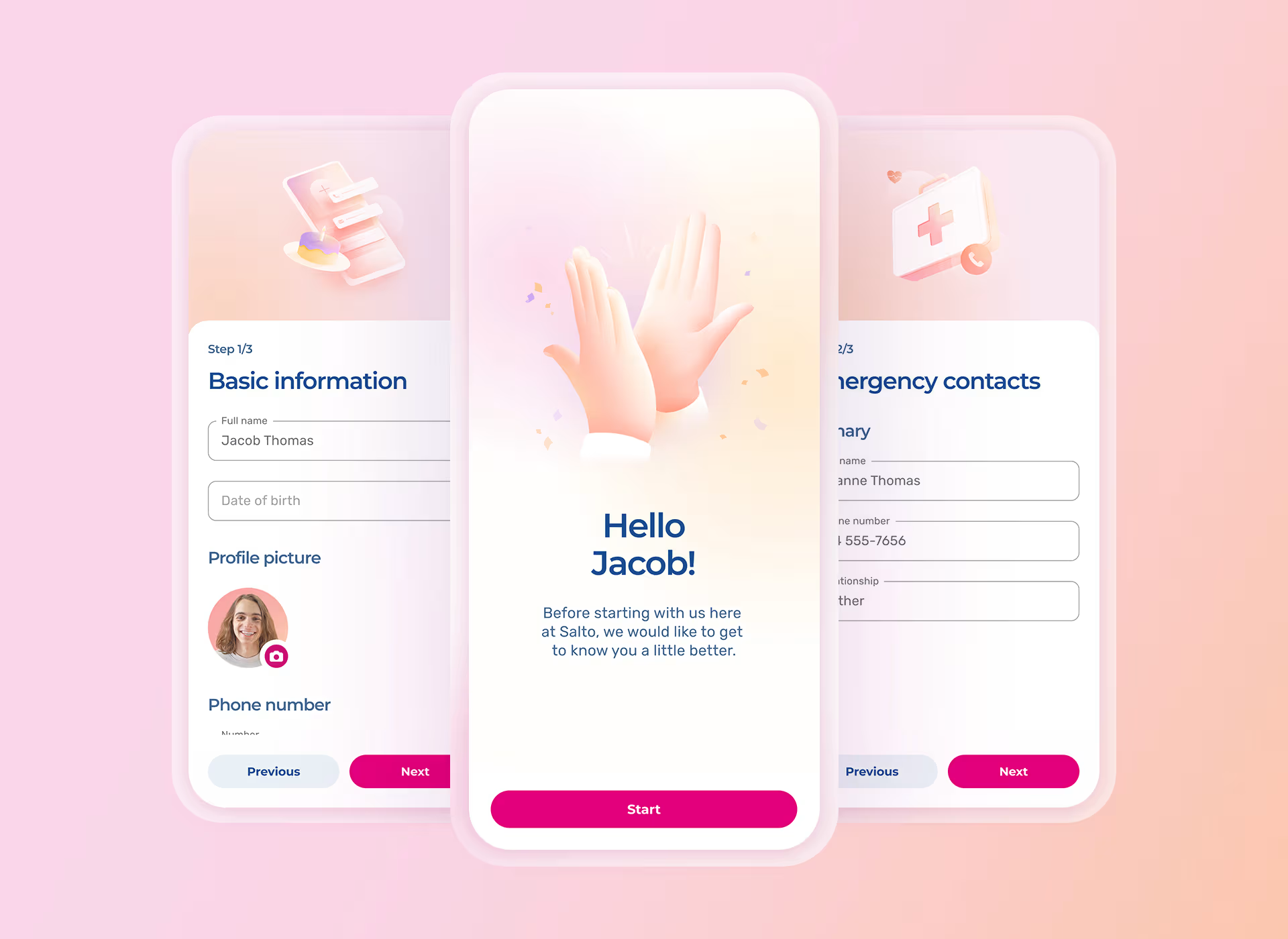
- Mobile self-service. New starters should complete everything from their phone, without needing a company email address.
- Data straight into the HR record. If someone has to retype it, you've bought a form, not software.
- Document requests and e-signatures with timestamps. That's your evidence when someone asks "did they ever see the policy?"
- Different processes for different locations or roles. A warehouse and a head office don't need the same pack.
- Reminders for key dates: time-limited right to work, probation reviews, pension postponement letters.
- Retention controls. Some records must be kept for years and others deleted once you no longer need them. Ask how the tool handles both.
- Connections to rota, time tracking and payroll. Onboarding that stops at "form submitted" leaves the rest to you. If you're weighing up a shift rota app at the same time, judge both together.
- Where the data is hosted and who can see it. Every reputable tool will tell you it's GDPR-compliant. Ask where the data physically sits, and which certifications back that up.
- Per-user pricing at your actual headcount, and a free trial you can run with a real new starter.
How does Timetastic handle onboarding?
Timetastic, a UK staff leave and rota management app, includes onboarding in its Rota & Time Clock plan. That means a new starter's details feed the same system that builds their rota and tracks their hours.
You can:
- Run one onboarding process for the whole organisation, or a separate process per location.
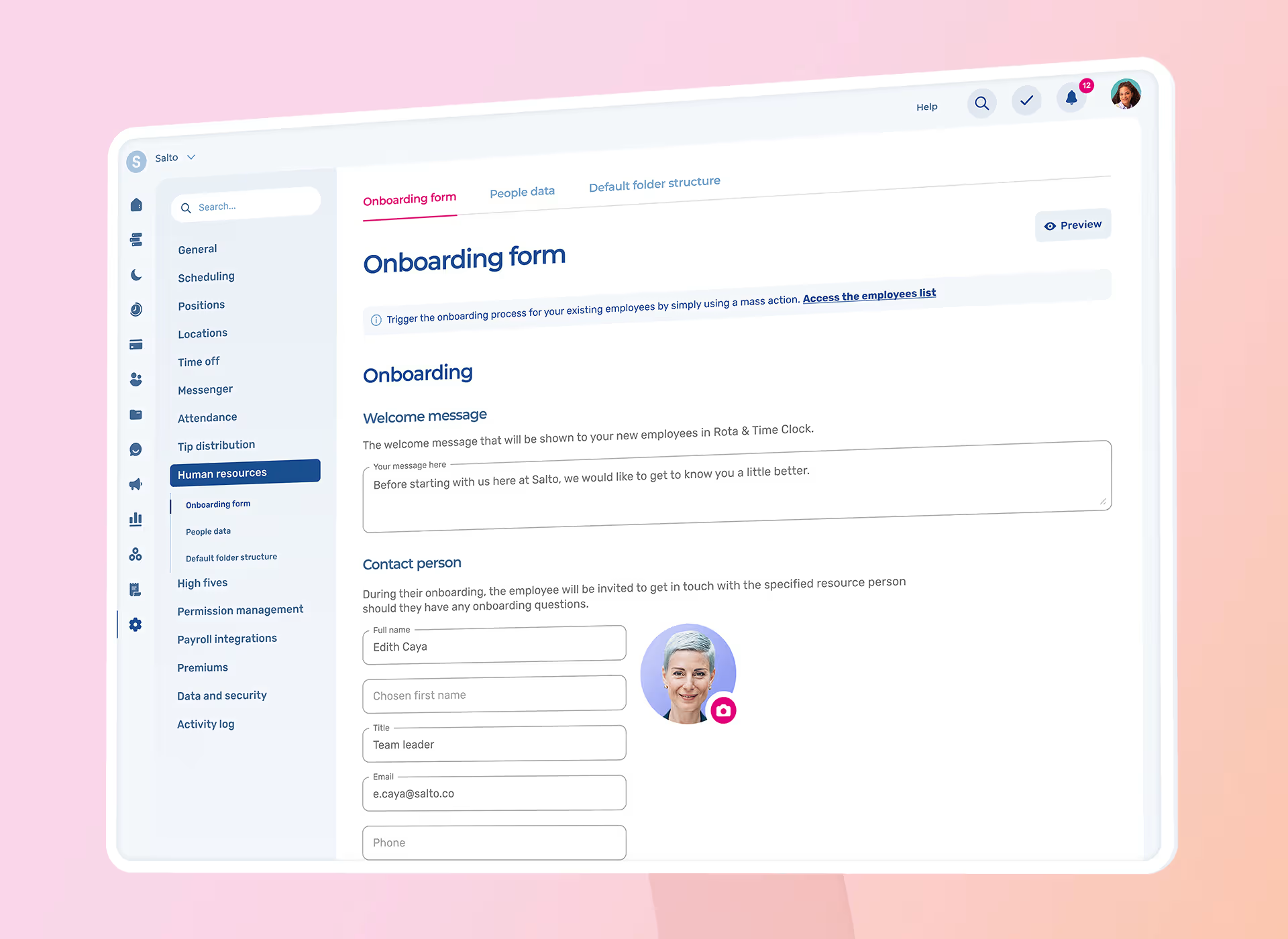
- Write a welcome message and name an HR contact the new starter can reach throughout.
- Request documents, and choose whether uploads are filed automatically or manually.
- Ask for signatures on handbooks, policies, health and safety information and confidentiality agreements.
- Add your own questions (uniform sizes, say) and set a completion deadline.
- Choose which personal and employment fields new starters complete, and which are required.
Onboarding sits alongside customisable HR record fields, document storage, HR reminders and a retention period you set for archived data.
Like any onboarding tool, it stores your right to work evidence rather than running the check. The check itself still goes through the Home Office service, the original documents or a certified provider.
Once onboarding is done, the new starter appears on the rota and can use the clocking in app from their first shift. No second system, no retyping.
Start your free 30-day trial, no credit card required.
FAQ
Can onboarding software carry out a right to work check?
No, not on its own. The check happens through the Home Office share code service, the original documents, or a certified identity service provider. Onboarding software stores the evidence and the date you did it, which you need to keep.
Can new starters complete onboarding before their first day?
Yes, and for some duties they need to. The right to work check must be done before employment starts, and the principal written statement is due on day one at the latest. Sending the onboarding form once the offer is accepted gives everyone time.
How long should you keep new starter documents?
It depends on the document. Right to work evidence is kept for the length of employment plus two years, and National Minimum Wage records for at least six years. Anything else should only be kept for as long as you have a reason to keep it.
Do casual and zero-hours workers need a written statement too?
Yes. The right to a written statement covers workers as well as employees, from their first day. That includes casual and zero-hours staff, so build them into the same onboarding process.
Does onboarding software replace payroll software?
No. It collects what payroll needs, like P45 or starter checklist details. HMRC registration still happens through payroll on your first Full Payment Submission, and pension enrolment runs through payroll and your pension provider.

Discover more articles


200,000+ people book their time off here
Set it up for your team before the next request lands.