


- Office team that only tracks leave? RotaCloud has no leave-only plan, so you’d pay for rota features you may not use. Timetastic Leave & Absence covers leave alone, from £1.20 per user a month.
- Need rota planning? RotaCloud and Timetastic Rota & Time Clock are close on the basics: both build rotas, track leave and handle clocking in.
- Need clocking in? RotaCloud sells it as a Time & Attendance add-on, from £4.50 a month. Rota & Time Clock includes it in its £4 per user price, along with team chat and e-signatures.
- Already use specific payroll or HR software? Check the integration lists first. RotaCloud covers PayCaptain, Staffology, PeopleHR and Breathe. Rota & Time Clock covers QuickBooks Online and Sage 50.
- Price depends on headcount. Neither is cheaper across the board. Count every user, admins included, before comparing.
Timetastic offers two broad solutions: Leave & Absence for office teams, and workforce management (Rota & Time Clock) for shift teams.
RotaCloud is a workforce management tool built around the rota. Every plan includes leave management, and its Time & Attendance add-on brings clocking in and timesheets.
Since RotaCloud is made for shift teams, this page mostly compares it with Rota & Time Clock, bringing in Timetastic Leave & Absence where its features differ.

Timetastic vs RotaCloud at a glance
The table compares each Timetastic product with RotaCloud. Prices are per month, excluding VAT, as listed on each UK pricing page in November 2026.
App ratings from the UK App Store and Google Play, as of November 2026.
Feature comparison: Timetastic vs RotaCloud
Managing annual leave: Timetastic vs RotaCloud
For office teams that only need leave, Timetastic Leave & Absence is the most focused option. For shift teams, Rota & Time Clock and RotaCloud both show leave on the rota and share the basics: staff request time off from their phone, a manager approves it, and the allowance updates. Rota & Time Clock is stronger on leave balances and bank holidays, RotaCloud on staffing rules and absence reporting.
Rota & Time Clock gives every person a separate holiday, TOIL and sickness balance, which can build up per pay period or by hours worked, useful when hours change week to week. Bank holidays are added by region, everyone's days off already appear on the rota, and approved leave comes off the balance straight away, so staff can see on their phone what they have left.
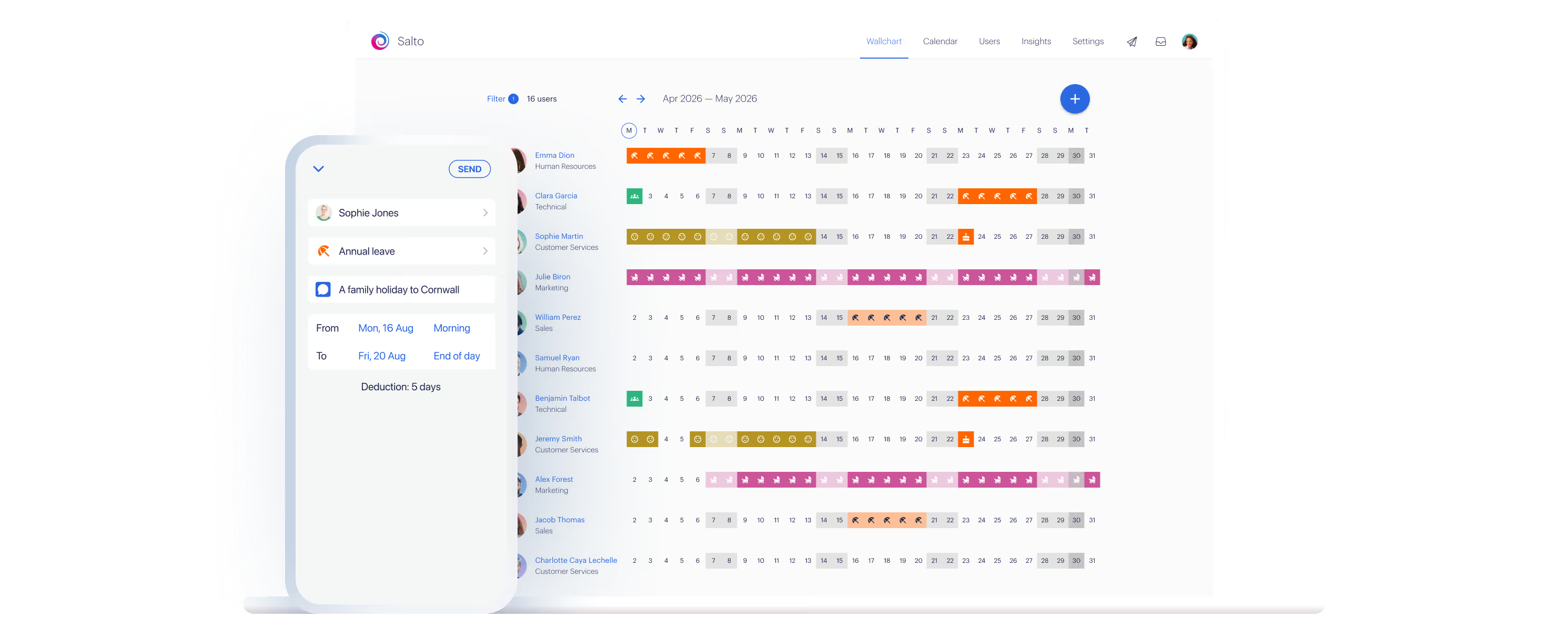
If you don't run shifts, Timetastic Leave & Absence covers it: a shared calendar of who's off, caps on how many people in a department can be off at once, and locked dates. Bank holidays for over 250 countries and 3,000 regions are built in, and unused holiday can carry over automatically, with an optional expiry date. Pro adds booking limits per leave type, monthly accrual, absence insights on peak times and trends, and the Burnout Board, which flags staff taking too little time off.
RotaCloud starts with the request: when you open one, it shows who else is off, and if approved leave clashes with existing shifts, you choose whether to keep, move or delete them. Standard covers holiday, TOIL, sickness and 11 other leave types, and bank holidays can be added for many staff at once. On Pro, leave rules automatically decline requests that would take you below minimum staffing at a location, in a group or in a role, and leave embargoes block set dates, such as your busiest week. Reports include a Bradford Factor score, which neither Timetastic product offers, and holiday that builds up with hours worked comes with the Time & Attendance add-on.
💡 In short: for shift teams, pick Rota & Time Clock if separate leave balances matter most, or RotaCloud if you want rules that protect minimum staffing. For office teams that only need leave, Timetastic Leave & Absence is the most focused option.

Rota scheduling: Timetastic vs RotaCloud
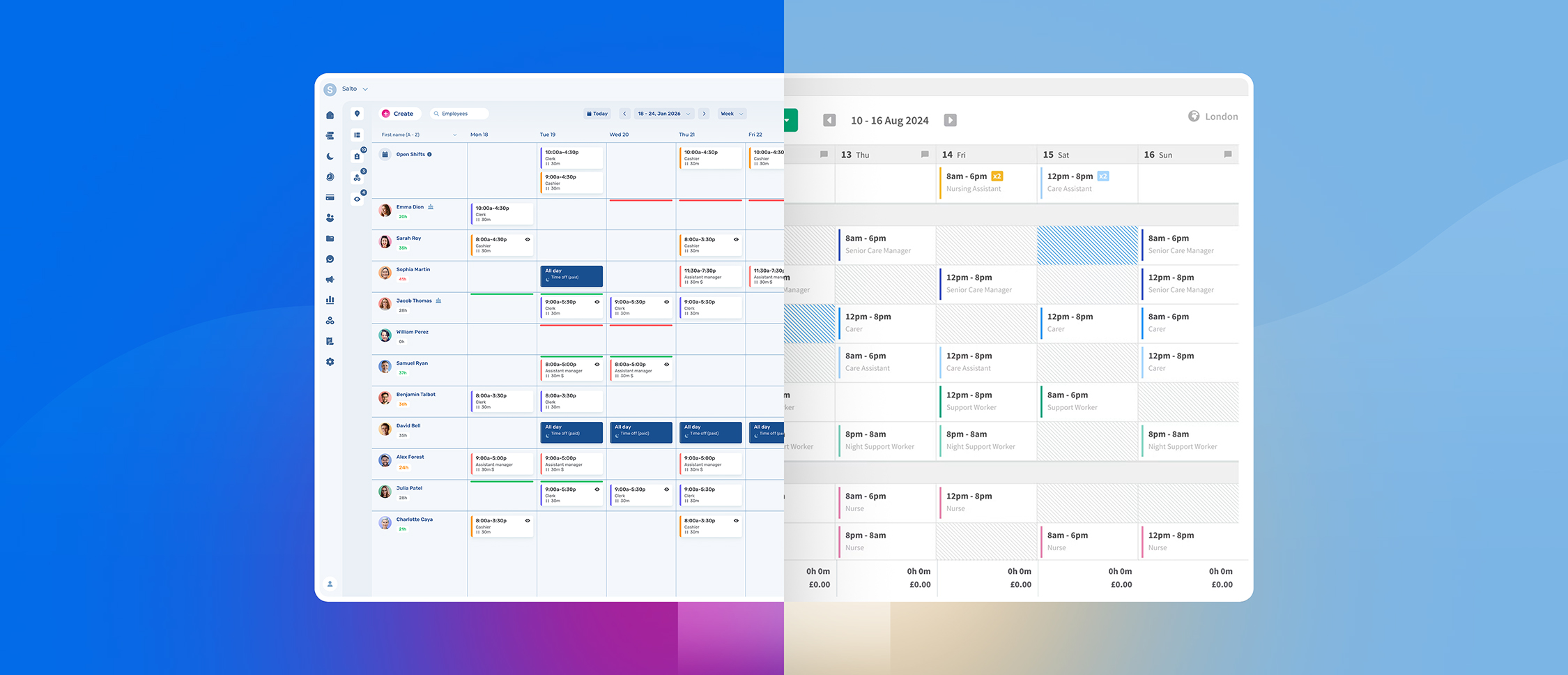
Picture Thursday afternoon. Next week's rota still has gaps, two people want to swap shifts, and someone's just asked for Saturday off. RotaCloud and Timetastic Rota & Time Clock are both built for that moment. Timetastic Leave & Absence doesn't include rota building.
RotaCloud and Rota & Time Clock are close on the day-to-day tools. In both, you can start from a template or copy an earlier week, post an open shift for someone to pick up, let staff swap shifts and mark when they're available, and run rotas for more than one site. Both show which staff have confirmed or seen their published shifts, and Rota & Time Clock even puts a weather forecast on the rota.
Rota & Time Clock leans on alerts and rules. As you plan, it warns you when a shift clashes with time off, unavailability or another shift, or cuts into someone's minimum daily or weekly rest. When a shift needs covering, you can send it to eligible staff, offer it by seniority, or let rules fill it automatically while respecting unavailability and avoiding overtime.
Repeating shifts take care of fixed patterns, whether weekly, every few weeks or monthly, and automatic break rules add breaks to shifts of a set length, location or position. For bigger changes there's bulk editing, and staff can hold more than one position.
RotaCloud leans on costs. It blocks clashing shifts as you drag them in and shows hours and costs per employee, day and week on the rota. If one site is short, Temporary Cover lets a manager borrow someone from another site for a shift.
RotaCloud's Pro plan is where the money side opens up. Bulk actions change lots of shifts at once, labour forecasting sets costs against expected sales, and budget caps keep hours and spending in check. You can also pull daily sales from a Square or Tevalis till, and RotaCloud's AI demand forecasting, still in beta, predicts up to 28 days of revenue from past sales.
💡 In short: for building and filling the weekly rota, Rota & Time Clock and RotaCloud are close. If you plan staffing against real sales from your till, RotaCloud has more tools for it.

Clocking in: Timetastic vs RotaCloud
With Timetastic Rota & Time Clock, clocking in is part of the plan. Staff can clock in from their phone, from a computer, or with a PIN at a tablet terminal by the door. The terminal can take a photo and, with staff consent, flag clock-ins where the photo doesn't match, and if your team already carries RFID or NFC badges, you can plug in a USB reader.
To make sure people clock in from the right place, phone clock-ins sit inside a geofence of 100 metres or more, and computer clock-ins can be limited to your company network. Every clock-in is tied to the shift on the rota: overtime can be set by day or by week with several bands, breaks can come off automatically, and timesheets can be signed electronically before you export them for payroll.
With RotaCloud, clocking in comes with the paid Time & Attendance add-on. Staff clock in through the mobile app, or with a four-digit PIN at a free terminal app on an iPad or Android tablet, which can take a photo at each clock-in. To keep phone clock-ins on site, you can set a GPS radius of 50 to 500 metres or limit them to your workplace network, and you decide how early staff can clock in. Timesheets then fill in on their own: they flag late arrivals, compare scheduled with worked hours, and work out overtime against each person's weekly contracted hours. For fingerprint or facial recognition, RotaCloud integrates with Idency's clocking-in kiosks.
💡 In short: both Rota & Time Clock and RotaCloud can run a tablet by the door. Rota & Time Clock includes clocking in at no extra cost and adds badge readers and more detailed overtime rules, while RotaCloud charges for it as an add-on but offers a biometric option through Idency. Timetastic Leave & Absence doesn't include clocking in.

Integrations: Timetastic vs RotaCloud
Where do your hours and holidays need to end up? Your answer decides a lot here.
Payroll
Payroll is where the hours have to land each pay run, and here the deciding question is which payroll you already use.
RotaCloud sends payroll data to Staffology, syncs shifts, holidays and absences to PayCaptain every day, and creates Sage 50 CSV files for you to import.
Rota & Time Clock integrates with QuickBooks and Sage 50.
HR, sales and industry tools
RotaCloud goes further here. It connects to the HR systems People and Breathe, pulls sales data from Square and Tevalis, and works with care and optician systems such as Care Consort and Optix. It also links to other tools through Zapier, including a ready-made template for Personio. Timetastic doesn't list HR or till integrations for Rota & Time Clock.
Chat and calendar apps
For the tools your team uses all day, Timetastic Leave & Absence has the edge. Business and Pro connect to Slack and Google Workspace. Pro adds Microsoft Teams, where managers can approve or decline requests. Leave bookings also go straight into Outlook or Google Calendar.
Rota & Time Clock doesn't currently include those integrations, so shift teams get a calendar link per person for Google, Outlook or Apple instead.
RotaCloud offers one-way feeds of shifts and leave to the same three calendars.
API and webhooks
To build your own connection, RotaCloud and Timetastic Leave & Absence both publish an API, and RotaCloud also supports webhooks.
Staff documents and team communication: Timetastic vs RotaCloud
Timetastic Rota & Time Clock stores staff documents and lets staff sign them electronically. Its onboarding form asks new starters for documents and signatures before a deadline, and the app adds custom HR record fields and reminders for key HR dates. For communication, it brings the conversation into the app, with one-to-one and group chat, a news feed with read confirmations, and internal surveys.
RotaCloud also stores staff documents with electronic signatures, on its Pro plan. Pro also lets you ask staff to acknowledge a document, and use logbooks to record appraisals and note when certificates or training expire. New starters get an onboarding email so they can fill in their own details.
For communication, RotaCloud keeps to notifications and email: shift alerts go out by email and push, text messages are an add-on, and managers can send memos to some or all staff from a desktop and see what share of them read it.
💡 In short: if your team's shift chat currently lives in a WhatsApp group, Rota & Time Clock is designed to replace it. If your HR records already live in People or Breathe, RotaCloud's integrations may matter more to you.

Mobile app experience: Timetastic vs RotaCloud
All three apps score 4.7 ★ or 4.8 ★ on the UK App Store. For shift teams, the comparison is RotaCloud's app against Rota & Time Clock's, and the real difference is how long each has been around.
Rota & Time Clock is a separate download from the original Timetastic app, and its iOS version only came out in August 2026, so it has 4.7 ★ from 44 ratings so far, and its Google Play listing has no ratings yet. For comparison, the original Timetastic app, used for Leave & Absence, has around 2,400 App Store ratings and around 1,300 Google Play reviews, where it scores 4.8 ★.
On all three apps, staff can see their own leave or shifts and request time off from their phone. The Rota & Time Clock iOS app is available in English, French, German and Spanish.
RotaCloud has the longer track record, with around 14,000 ratings on the UK App Store and around 6,200 reviews on Google Play, where it scores 4.7 ★. The RotaCloud iOS app is in English.

RotaCloud and its logo are trademarks of their respective owners. Their use does not imply any affiliation with or endorsement by them.
Pricing: is Timetastic or RotaCloud cheaper?
Timetastic costs £1.20 to £4.00 per user per month. Timetastic charges per user, per month, and on Rota & Time Clock every active profile counts, admins included.
Here's what each Timetastic plan costs, billed monthly with no minimum term:
Charities, Certified B Corporations, Fair Tax Mark holders, 1% for the Planet members and NHS Trusts get 50% off.
RotaCloud starts at £10 a month for up to five staff, with clocking in from £4.50 a month on top. RotaCloud charges by band of staff, counting everyone on the account on the billing date, admins and managers included. That difference often matters more than the headline prices.
Here's what each RotaCloud plan costs per month. Pay yearly and you get two months free.
Four pricing scenarios
All figures are per month, billed monthly, as listed on each UK pricing page. The office team uses Timetastic Leave & Absence; the three shift teams use Timetastic Rota & Time Clock, because that's the Timetastic product with rotas and clocking in.
Worth knowing before you compare:
- The office team isn't like for like. RotaCloud has no leave-only plan, so the £40 includes rota planning the office may not use.
- RotaCloud's bands create jumps. At 11 staff, Standard plus Time & Attendance doubles from £29 to £58 a month. Rota & Time Clock is only cheaper at 1 to 3, 6 to 7, 11 to 14 and 21 staff; at every other headcount up to 40, RotaCloud is. If you need RotaCloud Pro features, Rota & Time Clock is cheaper at most team sizes up to 40 (1 to 4, 6 to 9, 11 to 19, 21 to 29 and 31 to 38 staff). Move up a band and RotaCloud gives you five days to remove staff before charging the difference.
- Paying yearly changes the picture. RotaCloud's yearly billing charges 10 months out of 12: £290 vs £480 a year for the shop, £580 vs £576 for the café, and £870 vs £1,440 for the retailer. Timetastic bills monthly only.
Neither is cheaper across the board, so count everyone (admins and managers included) and check both pricing pages.
Where they're much the same
Some things won't help you choose, because both handle them in a similar way.
- No long-term contract: you can cancel either at any time. Rota & Time Clock and RotaCloud both say they don't refund the rest of a period you've already paid for.
- UK hosting: RotaCloud runs on Amazon Web Services in London, and Timetastic Leave & Absence on Microsoft Azure data centres in the UK. Both encrypt data at rest.
- Two-factor authentication: both offer it, and RotaCloud's Pro plan can make it compulsory for staff.
- Support: both offer live chat and email. Timetastic's support team works Monday to Friday, 9:30am to 4:30pm, and aims to reply within two hours. RotaCloud's team works Monday to Friday, 9am to 5pm, and also has a phone line; Timetastic doesn't offer phone support.
- Internet connection: both need one for clocking in. Neither documents an offline mode.
- Free trial: 30 days on every Timetastic product and on RotaCloud, with no card details needed to start.

You build the rota. The timesheets write themselves.
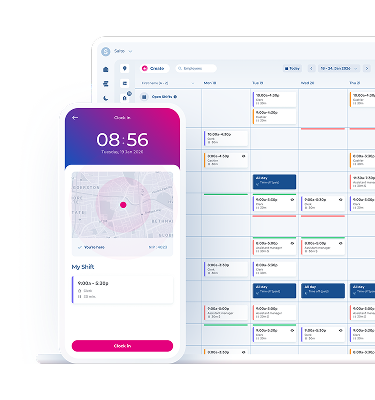
You plan your team's shifts, they clock in from their phone, and every work hour lands on a timesheet that's ready for payroll. No chasing.
Verdict for shift teams: Timetastic or RotaCloud?
One quick filter first. If you don't run shifts and only need to track holidays and absence, Timetastic Leave & Absence is the simpler fit: Business starts at £1.20 per user per month, and RotaCloud doesn't sell a leave-only plan.
If your team works shifts, the choice is between Rota & Time Clock and RotaCloud. Rota & Time Clock puts more into one price and goes deeper on attendance rules and team chat. RotaCloud goes deeper on planning against sales and connects to more of the HR and sales tools around it.
Where Rota & Time Clock fits well
- You'd rather pay one price that already includes clocking in, team chat and e-signatures.
- Your attendance rules are detailed: overtime bands, rest-time alerts, break rules or badge readers.
- You want separate balances for holiday, TOIL and sickness, with bank holidays added for you.
- Your headcount sits near the bottom of a RotaCloud band, say 11 to 14 staff.
- You already use Timetastic and want your people and leave to come across automatically.
Where RotaCloud may suit you better
- You plan staffing against real sales from a Square or Tevalis till.
- You pay staff through PayCaptain or Staffology, or keep HR records in People or Breathe.
- You'd like biometric clocking in through Idency, or support by phone.
- On Standard, your headcount is 4 to 5, 8 to 10, 15 to 20 or 22 to 40, or you'd rather pay yearly.
The best test is your own rota. Both offer a 30-day free trial with no card needed, so you can build next week in each and see which one your team gets on with.
Start your free 30-day trial. No credit card required.
Still comparing more widely? Our guides to the best rota software in the UK, the best shift rota apps and the best employee time tracking software cover other options, and our other Timetastic comparisons sit in one place.
We put this comparison together in November 2026 using public information from the Timetastic and RotaCloud websites, help centres, the UK App Store and Google Play. Features and prices change, so check the latest details with each provider.
FAQ
Is Timetastic a good alternative to RotaCloud?
For shift teams, Timetastic Rota & Time Clock is the closest alternative: like RotaCloud, it builds rotas, tracks leave and handles clocking in, with clocking in included in its £4.00 per user price. For teams that only need leave, Timetastic Leave & Absence is simpler, since RotaCloud doesn't sell a leave-only plan.
Can I try Rota & Time Clock if I already use Timetastic?
Yes: existing Timetastic customers can try Rota & Time Clock free for 30 days, with their active users, leave types and this year's leave copied across automatically. Your current Timetastic account carries on as normal while you try it. Only admins are invited during the trial, so your team isn't affected. If you don't cancel the trial or complete the move before it ends, your subscription switches to the Rota & Time Clock plan from your next invoice. Your team moves across when you complete the migration: Timetastic runs a final sync and emails the account owner a full backup, and staff on mobile download the new Rota & Time Clock app.
Do Timetastic or RotaCloud integrate with Xero?
At the time of writing, neither lists a direct Xero integration. Rota & Time Clock's payroll integrations are QuickBooks and Sage 50; RotaCloud's are PayCaptain and Staffology, plus a Sage 50 CSV export.
Do Timetastic or RotaCloud integrate with Personio?
Neither lists a direct Personio integration, but RotaCloud's help centre offers a ready-made Zapier template that connects it to Personio. Timetastic doesn't list Personio for Leave & Absence or Rota & Time Clock. RotaCloud's direct HR integrations are People and Breathe.
Do admins count towards the price on Timetastic and RotaCloud?
Yes, both Timetastic Rota & Time Clock and RotaCloud count admins towards the price. Rota & Time Clock bills every active profile, admins included, but not archived staff. RotaCloud counts everyone on the account on the billing date, admins and managers included, and prices by band.
Do Timetastic or RotaCloud offer a charity discount?
Timetastic gives 50% off to charities, Certified B Corporations, Fair Tax Mark holders, 1% for the Planet members and NHS Trusts. At the time of writing, RotaCloud's pricing page and help centre don't mention a charity discount.
Is there a team size limit on Timetastic or RotaCloud?
Timetastic Leave & Absence allows unlimited users and departments, and Timetastic doesn't publish a user limit for Rota & Time Clock. RotaCloud publishes prices for up to 500 staff and gives a custom quote for larger teams.
200,000+ people book their time off here
Set it up for your team before the next request lands.